
Wishlist page: create, share and manage your gift list

TL;DR:
- A wishlist page is a shareable list where users save desired items and enable buyers to reserve them without duplication. Using a universal wishlist tool with product links and reservation features ensures smooth management, privacy, and accurate price tracking, especially across UK retailers. Effective wishlist sharing relies on clear instructions and reservation functions to prevent duplicate gifts and keep surprises intact.
A wishlist page is a simple, shareable list where you save items you want to buy later or pass on to gift-buyers. The fastest way to get one working right now is to use a universal wishlist tool that accepts links from any retailer, rather than being tied to a single shop’s account. A fully functioning wishlist page should include:
- An add or save button on product pages (or a paste-link field)
- List management so you can organise items by occasion or priority
- Sharing and reservation controls so buyers can mark items without spoiling surprises
- Price and stock alerts to flag drops across your saved items
The label a platform uses matters more than you might expect. NN/g usability research found that “Wishlist” can feel gift-focused and off-putting for personal saving, while labels like “Favourites” or “My list” broaden appeal and reduce friction.
Table of Contents
- How do you create a wishlist page right now?
- How does adding items from any store actually work?
- How do sharing, reservations, and group gifting prevent duplicate gifts?
- Where do you find your wishlist, and which apps help?
- What privacy settings should you use, and what is good list etiquette?
- Which occasions suit a wishlist, and what should each list include?
- How do you fix common wishlist problems?
- How does WantThis work for UK shoppers?
- Key takeaways
- The part most wishlist guides skip
- WantThis: a free UK wishlist worth trying
- Useful sources and further reading
How do you create a wishlist page right now?
Whether you are building a personal gift list or adding wishlist functionality to a shop, the process takes under five minutes.
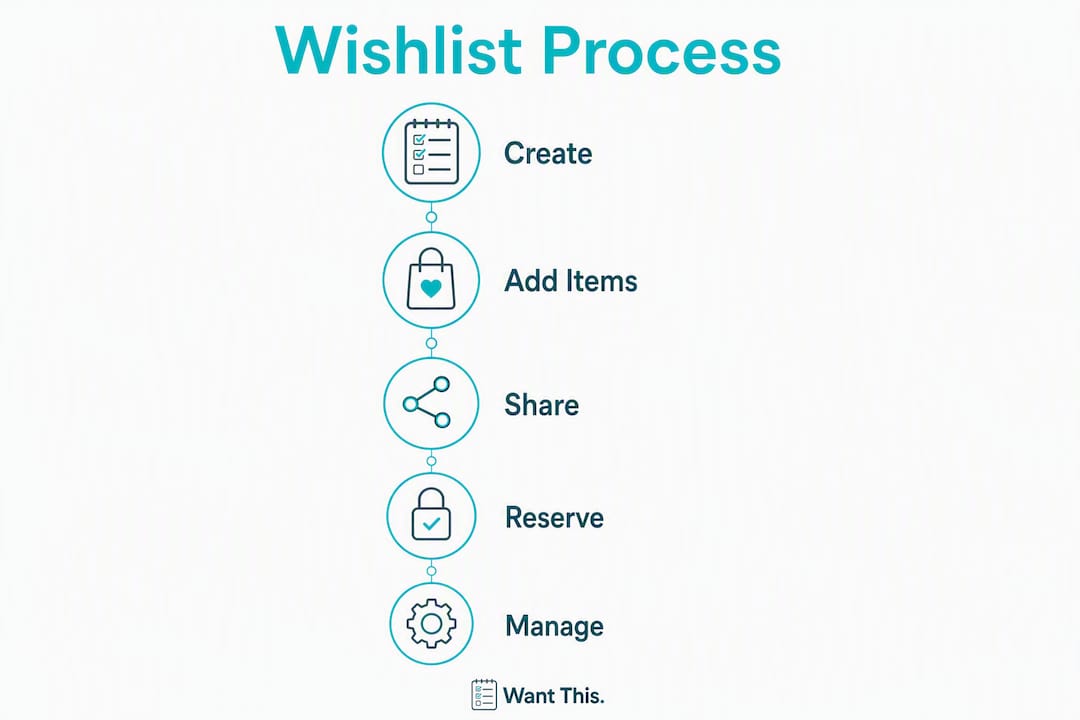
- Choose your tool. Pick a universal wishlist service (such as WantThis) or your retailer’s own “My lists” section. Universal tools let you add items from any store; retailer accounts lock you to one shop.
- Create the list. Name it by occasion (e.g. “Birthday 2026”) so it is easy to find and share later.
- Add your first item. Paste the product URL into the tool’s link field. The platform pulls the title, image, and price automatically.
- Set privacy. Choose private (only you), shared link (anyone with the URL), or group (invited members only) before you share anything.
- Copy and send the link. Share via message, email, or a QR code. Recipients see the list but cannot see who has reserved what.
- Test the reserve flow. Open the link in a different browser or incognito window and try reserving an item to confirm it works as expected.
Pro Tip: Platforms that allow guest list creation without forcing full registration remove the single biggest barrier to adoption. Look for a single-email or no-login option when setting up for the first time.
For sellers: place an “Add to wishlist” button on every product page and link to a customer’s saved list from the account header. Platform documentation consistently recommends high discoverability as the primary driver of wishlist engagement.

How does adding items from any store actually work?
Universal wishlists capture product details in three main ways:
- Paste-link capture: You copy a product URL and paste it into the wishlist tool. The platform fetches the page and extracts the title, image, and price.
- Browser extension: A one-click button in your browser toolbar sends the current product page to your list without leaving the retailer’s site.
- Manual add: You type a product name and upload an image yourself, useful for items from physical shops or pages that block automated scraping.
Automatic detail pull matters most for UK shoppers because it keeps prices in pounds sterling and ties each item to the correct UK retailer page. When a buyer clicks through, they land on the right regional version of the product rather than a US or EU listing with a different price or unavailable stock. WantThis pulls product title, image, and price from retailer pages automatically, reducing the manual work of building a list.
Pro Tip: Always paste the direct product page URL, not a search results page or a shortened link. Regional redirects and query strings are the most common cause of failed or inaccurate product pulls.
How do sharing, reservations, and group gifting prevent duplicate gifts?
Getting the privacy and reservation settings right is what separates a useful gift list from a chaotic one.
- Private: Only you can see the list. Good for personal saving and price tracking.
- Shared link: Anyone with the URL can view the list. Buyers can reserve or mark items as bought, but only they can see their own reservation.
- Group (invite members): Named members join via invite. Useful for collaborative lists such as a baby shower or a shared holiday fund.
The reservation feature is the most important one for group gifting. When a buyer marks an item as reserved, other visitors see it is taken without knowing who took it. That single mechanic stops duplicate gifts and keeps surprises intact. You can read more about coordinating group gift lists and how member permissions work in practice.
For Secret Santa, anonymised wishlists let each participant share their preferences without revealing who drew whom. A good organiser tool handles the name draw automatically and sends each person only their own assignment.

Pro Tip: Add a short note to each item (size, colour, preferred retailer) in the item comments field. Buyers get the guidance they need without you having to answer individual messages, and the surprise stays intact.
Where do you find your wishlist, and which apps help?
Saved lists live in different places depending on how you created them:
- Retailer account pages: Sign in and look for “Your lists,” “My wishlist,” or “My account.” Amazon’s lists area is a well-known example, though it only holds Amazon products.
- Universal wishlist services: Log into the platform’s website or open the mobile app. Your lists appear under a “My lists” or dashboard section.
- Browser extension toolbar: Click the extension icon to see recently added items or jump directly to your list.
- Shared link history: Check your sent messages or email for the link you originally shared.
- “Save for later” in cart: Some retailers move items from your basket to a saved list automatically.
To recover a misplaced list:
- Sign into the account you used when you created the list.
- Check the browser extension for recently saved items.
- Search your email for the confirmation or share link the platform sent.
- If none of those work, contact the platform’s support team with your registered email address.
On WantThis, your lists live in your account dashboard, and you can add items by pasting a product link, scanning a barcode or entering details manually.
What privacy settings should you use, and what is good list etiquette?
Privacy controls protect surprises and keep personal lists from being seen by the wrong people. The three standard options across most platforms are:
- Private: Visible only to you. Use this while building a list before you are ready to share.
- Shared link: Anyone with the URL can view it. The safest option for birthday and Christmas lists.
- Group with members: Invited people only. Best for weddings, baby showers, or any occasion with a defined guest group.
On etiquette: show prices on shared lists. Buyers need to know whether an item fits their budget, and hiding prices creates awkward guesswork. If you are sharing a list for a wedding or baby shower, include a range of price points so guests at every budget feel comfortable contributing. For corporate or client gift lists, a partner resource like Baxter Murray’s corporate gifting guide offers practical framing for professional occasions.
Accessibility note: well-built wishlist pages use clear button labels, keyboard-navigable controls, and alt text on product images so that users relying on screen readers or keyboard-only navigation can use them without difficulty.
Pro Tip: Before sending your list link to anyone, open it in an incognito window. You will see exactly what your recipients see, including which items show as reserved. It takes thirty seconds and prevents accidental spoilers.
Which occasions suit a wishlist, and what should each list include?
Most gift-giving occasions map neatly to one of two list structures: a single shared list or multiple occasion-specific lists.
- Birthday: One shared list, set to “shared link.” Include a mix of price points. Add size or colour notes to clothing items.
- Christmas: One list per family member works better than a combined list. Organising your Christmas gift list early means price alerts can catch drops before December.
- Wedding: A group list with invited members, covering a range from small to large gifts. Include preferred retailers and whether you accept contributions toward larger items.
- Baby shower: A single shared list with quantities noted (you may need three of some items). Mark items as bought quickly so latecomers do not duplicate.
- Secret Santa: Each participant creates a private wishlist and shares it only with the organiser, who distributes assignments. Use a dedicated Secret Santa organiser to handle the draw automatically.
For every list, a useful item entry includes: the product link, desired quantity, size or colour preference, preferred retailer, and an optional note for the buyer. For gift inspiration across occasions, curated resources like Essence Zenith’s gift selection guide can help you identify items worth adding.
How do you fix common wishlist problems?
Items missing or not showing:
- Check you are signed into the correct account. Creating a list as a guest and then registering can split your history.
- Confirm the browser extension is installed and enabled for the retailer’s domain.
- Regional redirects (e.g. a US URL redirecting to a UK page) can cause items to appear blank. Re-add using the UK product URL.
- Expired shared links will show an error. Ask the list owner to regenerate and resend the link.
Failed product pulls:
- Copy the URL directly from the browser address bar on the product page, not from a search result or affiliate redirect.
- Remove tracking query strings (anything after “?” in the URL) and try again.
- If the pull still fails, add the item manually using the platform’s manual entry option.
Lost account access:
- Use the platform’s password reset with your registered email.
- Check for an original invitation or confirmation email that contains your list link.
- If you created the list as a guest, the list may be tied to browser storage rather than an account. Check the same browser on the same device.
- Contact support with your email address and the approximate date you created the list.
How does WantThis work for UK shoppers?
WantThis is a free UK wishlist and gift list platform built around a straightforward idea: paste a link from any online retailer and the platform does the rest.
Core features:
- Add items by pasting any product URL; title, image, and current price are pulled automatically
- Create multiple lists organised by occasion (birthday, Christmas, wedding, baby shower)
- Price tracking across hundreds of UK retailers with drop alerts and price history
- Barcode and manual entry for items that are not on a retailer website
- Sharing by link, QR code, WhatsApp or email, with no account needed to view the list or reserve a gift
- Reservation and “mark as bought” so buyers avoid duplicates without spoiling surprises
- Built-in Secret Santa organiser with automatic name draw
- Affiliate relationships with partner retailers (including Amazon UK) are disclosed on the site
Because WantThis tracks prices in pounds sterling across UK retailers, buyers see accurate local prices rather than converted estimates. That matters when someone clicks through from a shared list to actually purchase: the price they see on the list is the UK price from that retailer’s page.
WantThis is free to use. Prices and product details are pulled from UK retailer pages automatically, and affiliate relationships with partner retailers are clearly disclosed on the site.
For sellers, saved wishlist items represent clear preference signals. Wishlist data lets retailers send targeted price-drop alerts and re-engagement messages, turning a saved item into a completed purchase.
Key takeaways
A wishlist page works best when it combines low-friction capture, clear privacy controls, and reservation features that prevent duplicate gifts.
| Point | Details |
|---|---|
| One-line definition | A wishlist page saves items you want later and lets gift-buyers reserve them without duplicating. |
| Fastest setup route | Paste a product URL into a universal wishlist tool; title, image, and price are pulled automatically. |
| Three management must-dos | Set privacy before sharing, enable reservations to prevent duplicates, and activate price alerts. |
| Test before sharing | Open your list in an incognito window to confirm what recipients see, including reserved items. |
| Recommended UK tool | WantThis is free, tracks prices across hundreds of UK retailers, and includes sharing, reservation, and Secret Santa features. |
The part most wishlist guides skip
Most articles about wishlist pages focus on the mechanics of adding items. The part that actually determines whether a list works is what happens after you share it.
The reservation feature is underused. People share a list, buyers purchase without checking, and three identical gifts arrive on the day. The fix is not a better list, it is making sure every recipient knows to mark an item before they buy. That means the share message matters as much as the list itself. A single line, “please mark items as reserved before you order,” eliminates most duplicate gifts.
Price tracking is similarly overlooked. A wishlist page that alerts you when a saved item drops in price is not just convenient; it changes the decision from “should I buy this now?” to “the price just dropped, this is the moment.” For UK shoppers coordinating gifts across multiple retailers, that alert is the difference between paying full price and catching a sale.
The best wishlist pages are not the ones with the most features. They are the ones where the share link works, the reservation is obvious, and the price is in pounds.
WantThis: a free UK wishlist worth trying
WantThis gives UK shoppers a free, no-fuss way to build and share gift lists from any online retailer. Paste a product link, get the image and price pulled in automatically, set your privacy level, and share. Buyers can reserve items privately so surprises stay intact and duplicates disappear. Price tracking across many UK retailers means you and your gift-buyers always see accurate local prices, and drop alerts flag the right moment to buy.

Create your free wishlist on WantThis and start adding items from any UK retailer today. The sharing and reservation features are ready to use the moment your list is live.
Useful sources and further reading
- Wishlist or shopping cart? Saving products for later in e-commerce — NN/g: NN/g usability research on discoverability, low-friction save features, and why login walls reduce wishlist adoption.
- Configure Wish Lists — Oracle Retail Digital Commerce: Platform documentation covering private, shared, and group list types with permission settings; useful for merchants implementing wishlist functionality.
- WantThis features — Price tracking, sharing & more: Full feature overview for WantThis, including automatic product-detail pull, UK retailer price tracking, and sharing controls.
- Share your wishlist — WantThis: Detail on reservation controls, privacy settings, and how buyers interact with a shared list.
- How consumers find deals with wishlists in 2026 — WantThis blog: UX approaches and deal-finding strategies, including guest list flows and optional email capture.
- Gift list collaboration online: a UK guide — WantThis blog: Practical guidance on group wishlist controls and coordinating gifting for organised occasions.