
What Does Buy Option Mean on Wishlists?

The buy option in wishlists is defined as the feature that lets a user or gift-giver purchase a saved item directly from a shared list, automatically updating that item’s status to prevent duplicate gifts. This is not the same as adding something to a shopping cart. The buy option is a coordination tool, built specifically for gift management and personal shopping planning. If you have ever spotted a “Buy” button next to an item on an Amazon wishlist or a UK gift list and wondered what it actually does, this article explains exactly what the buy option means on wishlists, how it differs from a cart, and how to use it well.
What does the buy option mean on wishlists?
The buy option in wishlists allows you to purchase a saved item directly from a list and triggers an automatic status update so other viewers know that item has been claimed. This is the core mechanic that makes shared gift lists work. Without it, two people could buy the same birthday present with no way of knowing.
On platforms like Amazon, the buy option appears next to each item on a shared wishlist. When a gift-giver clicks it, the item is marked as purchased. The wishlist owner does not see who bought it, which preserves the surprise. The buyer is taken through a standard checkout, but the list itself records the purchase behind the scenes.

This feature is sometimes called a “gift reservation” or “mark as purchased” function depending on the platform. The underlying purpose is always the same: connect a saved item to a real transaction and update the list accordingly. WantThis uses the same principle, pulling in live product data from any UK retailer so friends and family can see exactly what you want and act on it without confusion.
How does a wishlist buy option differ from a shopping cart?
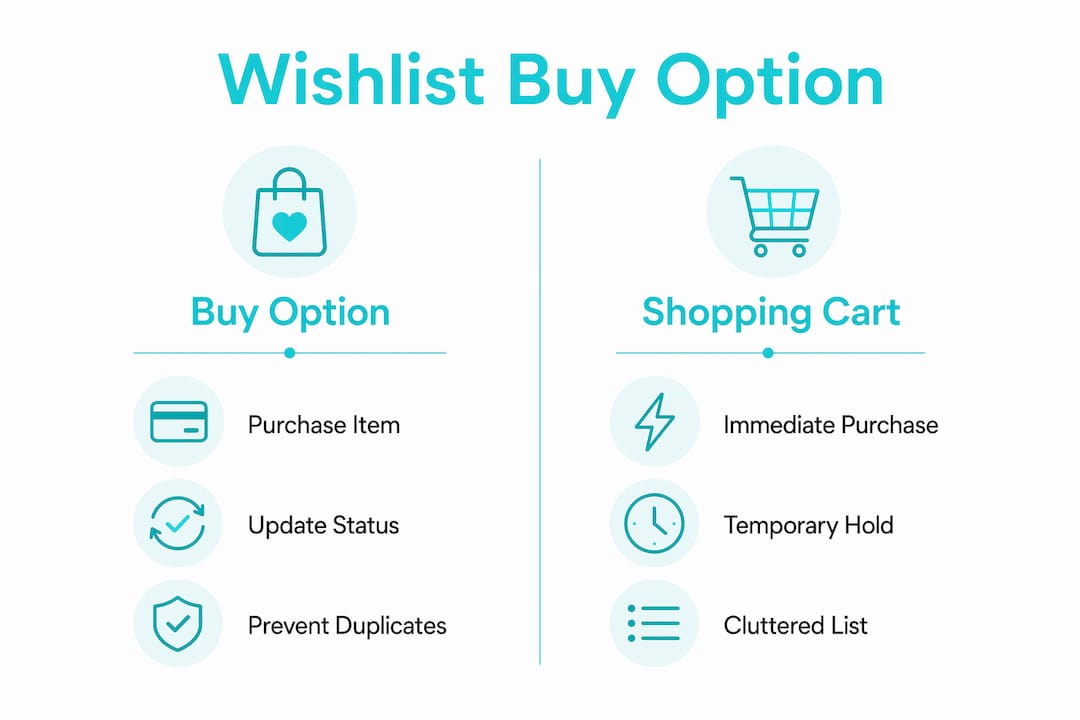
Wishlists and shopping carts solve different problems. Wishlists are research folders for tracking products you want over time, while shopping carts signal immediate purchase intent. Understanding this distinction stops a lot of confusion about why both features exist side by side.
Here is a direct comparison:
| Feature | Wishlist Buy Option | Shopping Cart |
|---|---|---|
| Purchase timing | Deferred, planned | Immediate |
| List update on purchase | Yes, marks item as bought | No |
| Shared with others | Yes, for gift coordination | No |
| Duplicate prevention | Yes | No |
| Price tracking support | Yes, on most platforms | Rarely |
The practical difference matters for how you shop. Using a cart as a bookmark creates clutter and can trigger urgency prompts from retailers, while a wishlist holds items cleanly without pressure to buy now. The buy option on a wishlist is the bridge between that saved state and an actual purchase, but it only fires when you are ready.
From a retailer perspective, wishlist buy options also capture high-intent shoppers more accurately. Automated price-drop emails sent to wishlist users encourage return visits and completed purchases. That is why most major ecommerce platforms now treat wishlists as a serious conversion tool, not just a nice-to-have feature.
Pro Tip: If you are saving items for a future occasion like a birthday or Christmas, always use a wishlist rather than a cart. You will avoid accidental purchases, keep your list organised, and give friends and family a clear view of what you actually want.
How does the buy option work for gift-giving and shared lists?
The buy option is the feature that makes shared wishlists genuinely useful for gift coordination. When a gift-giver uses it, the item is marked as purchased on the shared list, so no one else buys the same thing. The wishlist owner does not see who made the purchase, keeping the surprise intact until the gift arrives.
This matters most in group gifting situations: birthdays, weddings, baby showers, and Christmas. Without a buy option, shared lists are just suggestions. With it, they become a live coordination system.
Key gift-giving functions the buy option supports:
- Duplicate prevention. Once an item is bought, it is flagged on the list so other viewers know it is taken.
- Buyer privacy. The purchaser’s identity stays hidden from the wishlist owner until they choose to reveal it.
- “Bought elsewhere” updates. Marking items as bought outside the platform keeps the list accurate even when purchases happen on different retailers.
- Partial fulfilment tracking. For higher-value items, some platforms let multiple people contribute, with the buy option tracking each contribution.
WantThis builds all of these functions into its shared gift lists. Friends and family can privately reserve or mark items as bought, so gifts are not duplicated and surprises are not spoiled. The platform pulls in the title, image, and current price automatically when you paste any product link from any UK retailer.
Pro Tip: After a birthday or Christmas, go back through your shared wishlist and clear out items that were bought. It keeps your list fresh and prevents confusion the next time someone checks what you want.
Are there other meanings of “buy option” you should know?
The phrase “buy option” means something completely different in financial markets. In trading, a buy to open order establishes a new long position on an options contract, while a buy to close order exits a short position. These are derivatives trading terms with no connection to retail shopping.
If you searched “what is a buy option” and landed on financial content, that is why. The two uses of the phrase share the same words but operate in entirely separate contexts. This article focuses on the retail wishlist meaning.
Here is a quick breakdown to avoid confusion:
- Retail wishlist buy option: A button or feature that lets you purchase a saved item from a list and updates the list status.
- Financial buy option (buy to open): An order type used in options trading to enter a long position on a derivatives contract.
- Financial buy option (buy to close): An order type used to exit a short options position.
The retail meaning is the one relevant to anyone managing gifts or personal shopping on platforms like Amazon, WantThis, or similar services. If you are reading about wishlists, the financial definition does not apply.
How to use wishlist buy options effectively in the UK
Getting the most from wishlist buying options takes a bit of setup, but the payoff is real. Here is a practical approach for UK consumers:
-
Organise lists by occasion. Create separate wishlists for your birthday, Christmas, and any other events. This makes it easy to share the right list with the right people and keeps your buy option tracking accurate per occasion.
-
Set price alerts on saved items. Wishlists are strategic budget management tools when you use them to track prices over time, not just save items. WantThis tracks price drops on saved items automatically and sends alerts when prices change.
-
Use third-party price trackers alongside your wishlist. Tools like Keepa extend price monitoring beyond what most platforms offer natively, giving you a longer price history to judge whether a deal is genuinely good.
-
Control your privacy settings. Most platforms offer three visibility levels: private for personal planning, shared for event registries, and public for open registries. Privacy settings determine who can see your list and who can interact with the buy option, so choose the right level for each list.
-
Share your list early. Give friends and family enough time to use the buy option before an occasion. Last-minute sharing means people miss price drops and may not coordinate purchases in time.
-
Check your list after each occasion. Remove bought items and add new ones. A well-maintained wishlist is far more useful than one that still shows items from two years ago.
WantThis supports these steps, and you can add items to your list by pasting a product link from any UK retailer. The price tracking feature monitors saved items and sends alerts when prices drop, making it easier to decide when to use the buy option.
Key takeaways
The buy option in wishlists is the feature that converts a saved item into a tracked purchase, preventing duplicate gifts and keeping shared lists accurate.
| Point | Details |
|---|---|
| Core definition | The buy option lets users purchase a saved wishlist item and updates the list to prevent duplicates. |
| Wishlist vs. cart | Wishlists are for deferred planning; carts are for immediate purchase. The buy option connects the two. |
| Gift coordination | Buyer identity stays hidden from the wishlist owner, preserving surprise while preventing duplicate gifts. |
| Financial meaning | “Buy option” in trading refers to derivatives orders and has no connection to retail wishlists. |
| Practical use | Organise lists by occasion, set price alerts, and share early to get the most from wishlist buy options. |
Why the buy option is the feature most people overlook
Many people use wishlists as passive lists, saving items and never really doing anything with them. The buy option changes that. It is the feature that turns a wishlist from a personal note into a live coordination tool that actually works for everyone involved.
Surprisingly few people know about the “bought elsewhere” function. You can mark an item as purchased even if you bought it from a different retailer, which keeps the shared list accurate regardless of where the actual transaction happened. That is a small detail with a big practical impact, especially when you are coordinating gifts across a family group.
The financial trading meaning of “buy option” also trips people up more than you would expect. Searching the term often lands people on articles about derivatives contracts. The retail and financial uses of the phrase are completely unrelated, and it is worth knowing that upfront.
Wishlists are underused as budget tools. Treating a wishlist as a priority-ranked shopping plan rather than a random collection of saved items changes how you shop. You buy things when the price is right, not just when you happen to remember them. That is where the buy option earns its value.
Manage your wishlists smarter with WantThis
WantThis is built for exactly this kind of organised, stress-free gift management. You paste any product link from any UK retailer, and WantThis pulls in the title, image, and current price automatically. Friends and family can privately reserve or mark items as bought, so nothing gets duplicated and surprises stay intact.

WantThis also tracks price drops on every saved item and sends you alerts when prices fall, so you always know the right moment to use the buy option. Whether you are building a Christmas gift list, a birthday wishlist, or a wedding registry, WantThis gives you the tools to share, coordinate, and shop with confidence. Create your free wishlist today and see how much easier gift planning gets.
FAQ
What does the buy option do on a wishlist?
The buy option lets a gift-giver purchase a saved item directly from a shared wishlist and automatically marks that item as bought, preventing anyone else from buying the same gift.
Does the wishlist owner see who used the buy option?
No. Most platforms, including Amazon and WantThis, hide the buyer’s identity from the wishlist owner so the gift remains a surprise until it arrives.
Can you use the buy option for items bought on a different site?
Yes. Features like Amazon’s “Buying this elsewhere” link let you mark items as purchased even when the transaction happens on a different retailer, keeping the shared list accurate.
Is a wishlist buy option the same as a financial buy option?
No. In financial markets, a buy option refers to derivatives trading orders like buy to open or buy to close. These are completely unrelated to the retail wishlist feature.
How is the buy option different from adding to a cart?
A shopping cart is for immediate purchases. The wishlist buy option is for coordinated, planned purchases that update a shared list, track gift status, and prevent duplicate buying.