
12-Question Secret Santa Questionnaire That Maps Answers to Gifts
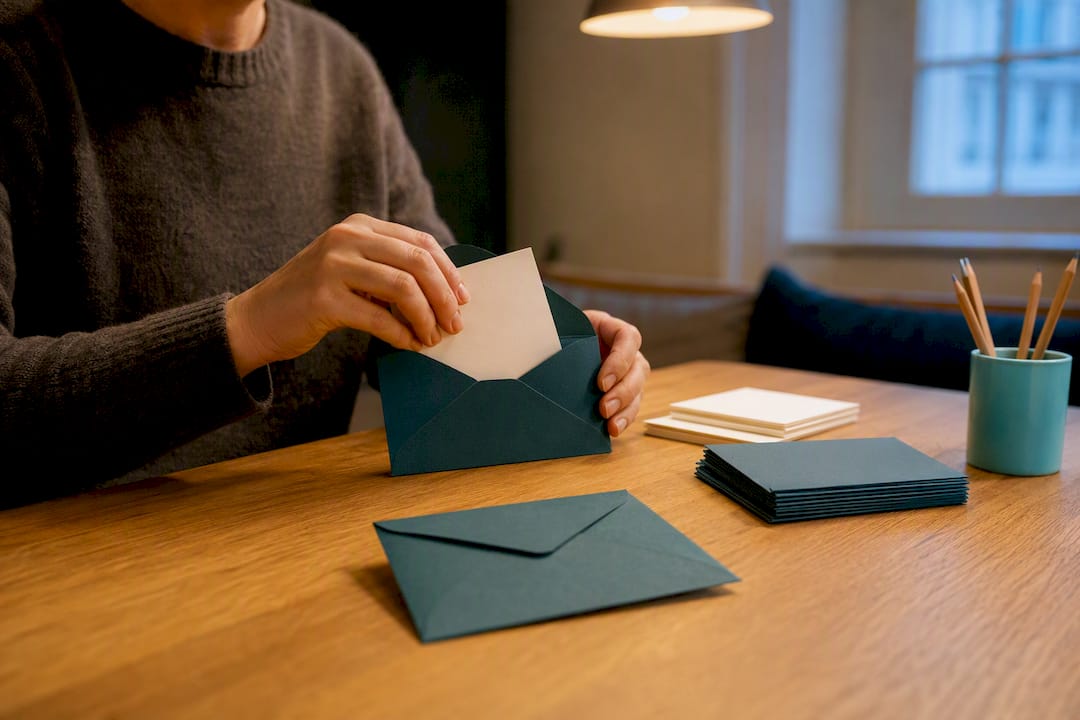
Use a short online form for remote or larger groups, and a one-page printable for small in-person circles. Both work, and templates for either are ready to download today. For groups of any size, a secret santa questionnaire with 6 to 12 focused questions solves the classic problem of unusable gifts. A Secret Santa organiser that runs the draw and links each person to a wishlist keeps the rest in one place. What follows is the exact set of questions to ask and how to get people to actually answer them.
TL;DR:
- Online forms with anonymous response toggles are ideal for groups over 20 people, saving time and improving response rates.
- Questions about allergies, dislikes, pets, and hobbies directly inform the gift selection, reducing unsuitable presents.
- Embedding fun prompts like favourite films or snacks early in the form increases completion rates by encouraging engagement.
- Using a separate code system for answer anonymity and exporting responses immediately enhances privacy and efficiency.
- Short, category-focused questions (maximum of 12) improve answer quality and make gift matching quicker and more accurate.
Table of Contents
- Which secret santa questions template should you use?
- What questions should a Secret Santa form actually ask?
- How do you collect and anonymise the answers?
- How do you design a template people will actually fill in?
- Why do short forms and online tools actually work better?
- Turning answers into real gifts
- Get your Secret Santa exchange sorted in minutes
- Where to find more templates and questions
- Sources
Which secret santa questions template should you use?
Three formats cover almost every group: printable PDFs, editable Word or JPG templates, and online forms. Each suits a different mix of group size, anonymity needs, and how much fiddling you want to do with formatting.
Printable PDFs work best for small, in-person groups such as a family Christmas or a school class. Hand them out on paper, collect them in a hat or envelope, no login required. The trade-off is that anonymity depends on you physically separating names from answers, and updating the questions means editing a document rather than clicking a toggle.
Editable Word or JPG templates sit in the middle. You can rebrand them with your own wording or a company logo, then send them by email or print them locally. They’re flexible but still manual to distribute and collate, which becomes a chore once you pass 15 or 20 participants.
Online forms are the strongest choice for remote teams, offices, or any group over about 20 people. Digital templates that offer shareable links and anonymous response toggles save real time compared with paper, because every answer lands in one dashboard instead of a stack of envelopes. SmartSurvey’s template is built exactly for this, mixing multiple-choice and open questions for workplace exchanges.
- Small family or friend group: printable one-page PDF, collected by hand
- Office of 15 to 50 people: online form with an anonymous toggle
- Remote or hybrid team: shareable online link distributed over email or chat
What questions should a Secret Santa form actually ask?
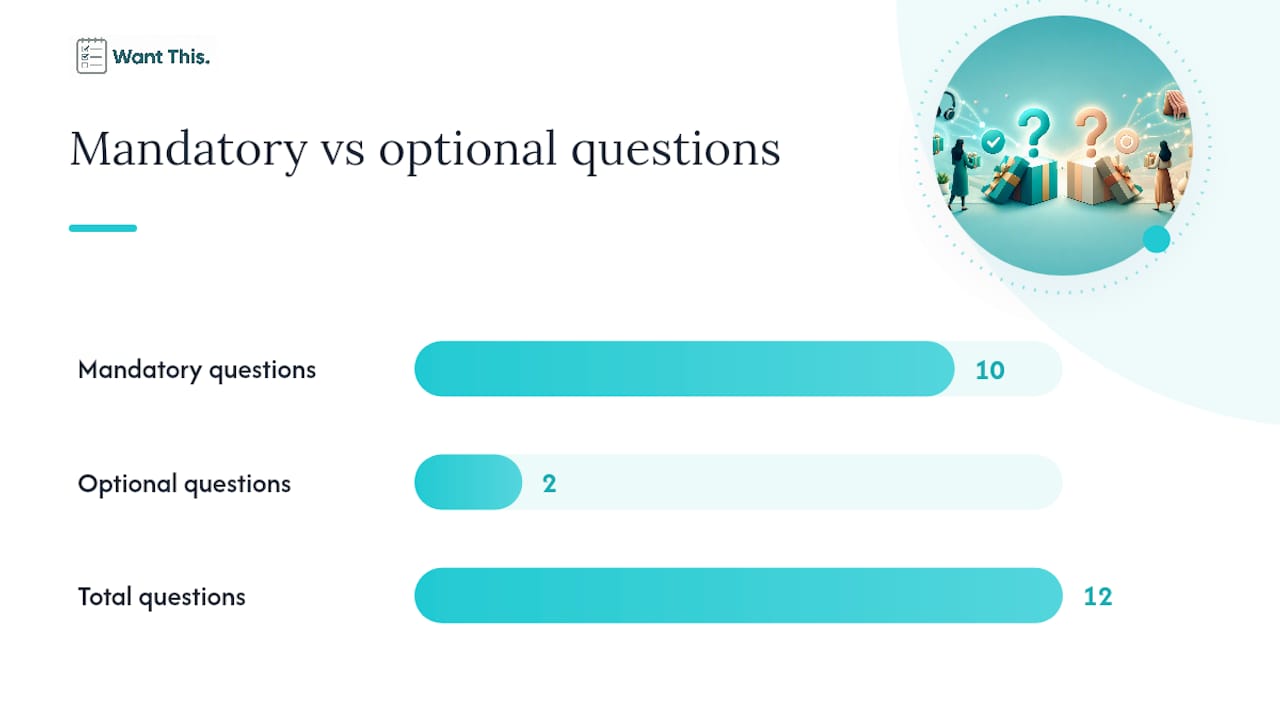
Twelve questions is the ceiling for a form people will actually finish. Group them by what the answer does for the gifter, not by topic, and the whole exercise becomes far more useful.
- Any allergies or dietary restrictions? Essential if food or bath products are on the table.
- Anything you’d rather not receive? The single most useful “anything but” question in the whole form.
- Clothing or shoe size, if relevant? Only ask this if the group tends to buy wearables.
- Do you have any pets? Opens up a low-risk gift category almost everyone enjoys.
- Favourite colour? Cheap to answer, surprisingly useful for candles, mugs, and stationery.
- A hobby or interest you’re into right now? The strongest single clue for a thoughtful gift.
- Coffee, tea, or neither? Narrows an entire aisle of gifting options in one line.
- Do you have a wishlist link you can share? Turns a guess into a certainty when it exists.
- A book, film, or artist you love? Useful for smaller stocking-filler style gifts.
- Home address for delivery, if the group is remote? Optional, and only needed for postal exchanges.
- Rough budget you’re comfortable with? Optional; useful when the group hasn’t fixed a limit.
- Anything else your Secret Santa should know? A free-text catch-all for the odd detail forms miss.
Mark questions 10 and 11 as optional. Address and budget preferences are personal, and Formester’s guidance on anonymous responses notes that making sensitive fields optional improves the honesty of everything else on the form. A person who feels safe skipping the address question is more likely to answer the hobby question properly.
The mapping from answer to gift is often immediate. Someone who lists “hiking” and “tea, not coffee” points a gifter straight towards a flask or trail mix rather than a generic candle. Parade’s list of 30 Secret Santa questions is worth raiding for extra prompts if your group enjoys longer, funnier forms rather than the compact version above.
Pro Tip: Put the fun questions (favourite film, guilty pleasure snack) above the sensitive ones (address, budget). People who start answering rarely abandon a form halfway through.
How do you collect and anonymise the answers?
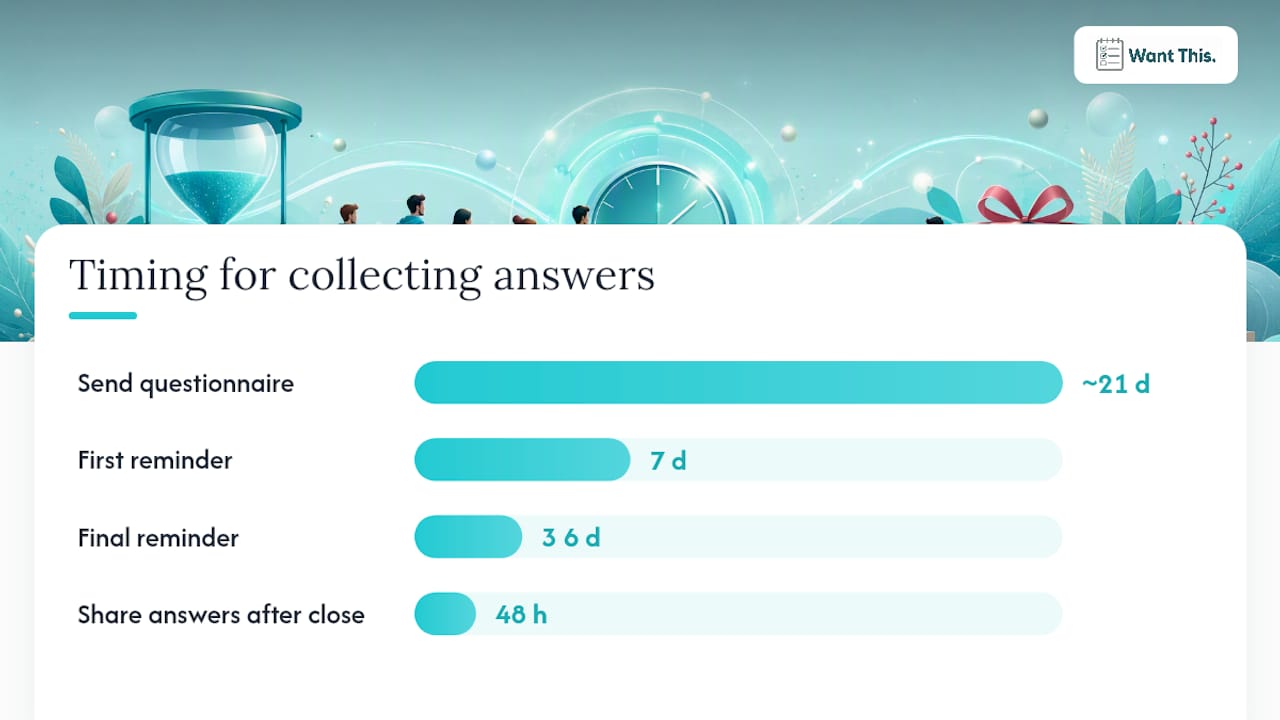
A short timeline keeps response rates high without hounding anyone. Send the form roughly three weeks before the exchange, follow up with one reminder a week later, send a final nudge three or four days before the deadline, then run the draw and distribute answers within 48 hours.
- Week 1: send the questionnaire link or printable to everyone at once
- Week 2: first reminder to anyone who hasn’t responded
- Week 3: final reminder, then close the form on a fixed date
- After close: run the draw and share each person’s answers with their assigned gifter
Anonymising responses matters more than most organisers expect, especially in an office setting. The simplest method is assigning each respondent a code number in your spreadsheet, keeping a master key separate from what you share, and stripping names before answers go anywhere near a gifter, a step Formester’s own templates build in as a native toggle. If you’re running things on paper, a code written in the corner of each form works the same way.
For channels, Slack or Teams suits an office already using those tools daily, WhatsApp works well for friend groups, and a plain email link covers everyone else. Export responses to a spreadsheet the moment the form closes, so pairing names to answers is a five-minute job rather than a scramble on the night.
How do you design a template people will actually fill in?
Layout decisions sound trivial until half your group opens the form on a phone and gives up. Keep fields stacked vertically rather than in wide tables, mark optional questions clearly with the word “optional” in brackets, and use a plain, legible font rather than anything decorative.
For workplace exchanges, keep the wording polite and light. “Tell us your Secret Santa preferences” reads better than a bare instruction list, and a small company logo at the top signals this is sanctioned, not spam. If you’re printing, set one participant per page, standard A4 margins, and offer both a PDF for straightforward printing and an editable Word file for anyone who wants to tweak wording first.
- Stack questions vertically for mobile readability
- Mark sensitive fields as “optional” in the label itself
- Offer PDF and editable formats side by side, not just one
Why do short forms and online tools actually work better?
Grouping questions by actionable category, allergies, sizes, hobbies, wishlist links, rather than by topic, cuts down on unusable gifts because every answer maps directly to a decision. AboutDarwin’s research into template formats backs the shorter end of that range for office and family groups, where completion rates drop sharply past 12 questions. Online templates also simplify anonymity: a toggle replaces the manual work of stripping names, and exports go straight into a spreadsheet an organiser can hand to a matching tool.
Turning answers into real gifts
Running the draw is the easy part. What actually saves organisers time is linking questionnaire answers to something concrete, an existing wishlist, a price-tracked item, rather than leaving a gifter to interpret “I like candles” alone. WantThis’s Secret Santa organiser handles the draw and keeps the pairings secret, and pairing that with a linked wishlist turns a vague hint into an actual product a gifter can buy. Treat every template here as a starting point, not a fixed script, and cut or add questions to fit your own group.
Get your Secret Santa exchange sorted in minutes
Instead of juggling spreadsheets and separate forms, a free organiser like WantThis can run the draw and link each person to their giftee’s wishlist, so you are not manually matching names to a pile of email replies.

The Secret Santa organiser draws names automatically, supports exclusions and a budget range, and keeps the pairings secret, so nobody has to build their own code system. Participants can attach a shared wishlist alongside their answers, and price tracking means a gifter sees the current cost of anything on that list before deciding whether it fits their budget. For tighter budgets, Secret Santa gifts under £10 covers plenty of ground. Set up your draw on the Secret Santa organiser page and send the link to your group today.
Where to find more templates and questions
For a longer question bank, Parade’s 30 Secret Santa questions is a solid source to pull from. AboutDarwin’s five template formats cover office, family, and virtual variants. For a printable option, SecretSantaMatch’s free PDF is ready to download, and Etsy’s themed printables suit anyone wanting a decorative version.
Sources
- Secret Santa Questionnaire: 20 Free Questions, PDF, and Template — Formester
- Secret Santa Questionnaire Template — SmartSurvey
- The 30 Best Secret Santa Questions To Ask This Christmas — Parade
- Secret Santa Questionnaire: 50+ Questions & 5 Free Templates 2025 — AboutDarwin