
Avoid Duplicate Gifts: Private UK Wishlist in Minutes With WantThis

Yes, you can have a private wishlist. Every major wishlist tool and most retailers let you switch visibility to private or unlisted, and dedicated gifting services like WantThis are built around private, link-based sharing. Start by checking your account’s visibility settings, or create a fresh list on a private-first platform if your current one won’t cooperate.
TL;DR:
- Most wishlist tools and retailers offer privacy options like private, unlisted, or link-only, but true privacy requires setting specific visibility controls.
- Creating a private wishlist involves setting the list to private or unlisted after adding items, then testing accessibility to ensure confidentiality.
- Selective sharing can be done via invite codes or fixed email/username access, but link-only sharing is riskier due to potential unauthorised forwarding.
- Reservations or mark-as-bought features prevent duplicate gifts by hiding purchase status, though not all platforms support this functionality.
- Privacy habits such as avoiding storing personal info in wishlist notes and enabling two-factor authentication are essential to protect sensitive data.
Table of Contents
- What is a private wishlist and when do you actually need one?
- How do you make a wishlist private, step by step?
- How do you share a wishlist selectively without making it public?
- How do reservations and hidden purchases stop duplicate gifts?
- What privacy and security habits actually matter here?
- How does WantThis handle private sharing and reservations?
- Why a private-first workflow beats bolted-on privacy settings
- Try a private wishlist built for real gifting
- Sources
What is a private wishlist and when do you actually need one?
A private wishlist is a saved list of items only you (or people you specifically choose) can see. Most platforms offer three visibility levels worth knowing:
- Private — visible only to you, hidden from search and from anyone without direct account access.
- Unlisted or link-only — invisible in search results, but anyone with the exact link can view it.
- Public — discoverable, sometimes indexed by search engines, and viewable by anyone.
The right choice depends on what you’re actually trying to do. Planning your own Christmas list for close family? A private or link-only list works fine. Building a wedding or baby shower registry where dozens of guests need access without you tracking who’s seen what? A shareable, permission-based list does the job better. The mistake most people make is treating “private” and “shareable” as opposites, when the best private gift registry tools let you do both from the same list, just with different doors open to different people.
How do you make a wishlist private, step by step?
Most platforms follow a similar pattern, even when the button names differ. Here’s the general route:
- Create your list first. Add items before worrying about settings; most platforms let you adjust visibility after the fact.
- Find the visibility or privacy settings. This usually sits in account settings, list settings, or a small gear icon next to the list name.
- Set the list to private or unlisted. Choose the option that matches your goal, hidden entirely, or just hidden from search.
- Save and confirm. Some platforms ask you to re-enter a password or confirm the change before it takes effect.
- Test it. Open the list in an incognito browser window, or ask a friend to try the link, to check it behaves as expected.
Labels vary by service. Look for wording like “private,” “friends only,” “unlisted,” or “hidden from profile.” Steam, for example, only offers limited visibility controls on its wishlist feature, and community members have repeatedly asked for a proper private toggle in discussion threads, so don’t assume every gaming or retail wishlist gives you full control. Discord documents its own process clearly in its Wishlist FAQ, which is a useful model for what a proper settings menu should offer.
Browser extensions add another layer worth knowing about. Add-ons that connect to third-party wishlist services, available on both Microsoft Edge and Firefox, let you save items from any online shop without leaving the page you’re browsing. That’s handy if you want one central private list rather than five scattered retailer accounts.
Pro Tip: Never rely on “it’s not linked from anywhere” as your privacy strategy. Unlisted links can be forwarded, screenshotted, or accidentally shared in a group chat. If something genuinely needs to stay hidden, use a true private setting, not just an obscure link.
How do you share a wishlist selectively without making it public?
Selective sharing is where most wishlist tools quietly fall short. The two common methods are invite-based sharing and link-based sharing, and they carry different trade-offs.
- Invite by email or username gives you a fixed list of people who can view the list, and you can remove someone later.
- Link-only sharing is faster to set up but riskier. Once a link exists, you can’t always control who it reaches.
- Group or shared lists often assign roles, an owner who manages the list, editors who can add items, and viewers who can only look and reserve.
- Revoking access should be straightforward. If a platform makes it hard to remove someone from a shared list, treat that as a warning sign.
- Time-limited sharing, where a link expires after a set period, works well for one-off events like a birthday, so the list doesn’t linger publicly for years.
Services built specifically for gifting, such as Giftster, describe themselves as a free, private gift registry with group sharing designed for exactly this scenario: families coordinating without spoiling anything. That’s a useful benchmark when comparing what your current platform actually offers against what a dedicated tool provides.
How do reservations and hidden purchases stop duplicate gifts?
The point of a private wishlist usually isn’t secrecy for its own sake. It’s stopping five people buying the same jumper. Reservation features solve this directly.
- “Reserve” or “mark as bought” flags an item as taken, usually hiding that status from the list owner so the surprise survives.
- Hidden-purchase behaviour varies. Some tools hide the buyer’s name from other guests too, which avoids awkwardness when two people want the same gift.
- Not every platform offers this. Basic retailer wishlists often lack reservation logic entirely, so item availability isn’t tracked past the list itself.
Where a formal reservation system doesn’t exist, a workaround is to appoint one person as coordinator who tracks claims manually, or to use a dedicated gifting platform where marking items as bought is built in, as described on pages like MySecretCart. It’s a small feature, but it’s the difference between a smooth gift exchange and three identical scented candles.
What privacy and security habits actually matter here?
A private wishlist is still an account holding personal data, so a few habits go a long way.
Never store home addresses, phone numbers, or payment details in wishlist item fields or notes, even when a platform allows free text. That information sits there indefinitely and adds risk with no real benefit. Where you’re choosing between visibility options, invite-only or unlisted links beat fully public lists every time; public listings can be indexed and turn up in searches years later. Trustpilot reviews of gifting services, including feedback on smaller platforms like Thingstogetme, regularly flag privacy and usability as the deciding factor for whether people trust a tool with their list.
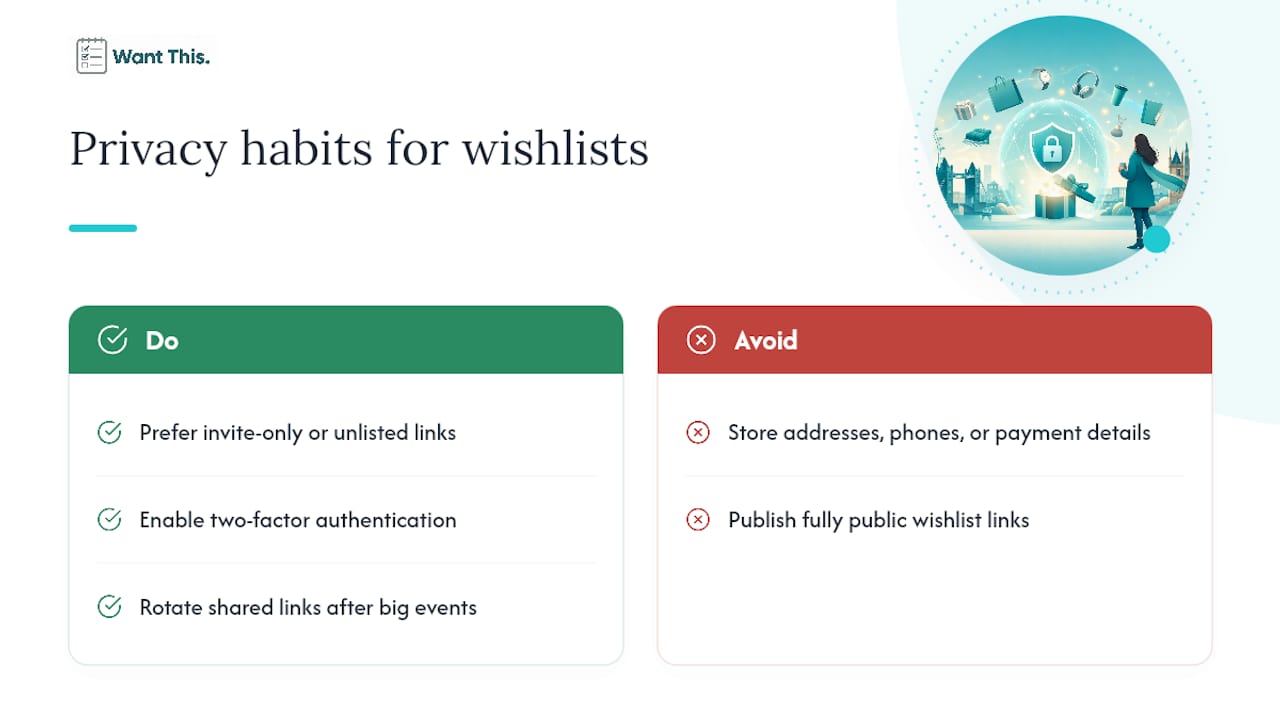
Pro Tip: If a platform supports two-factor authentication, switch it on for any account tied to a wishlist with financial or shipping details attached, and rotate shared links after a big event rather than leaving them live indefinitely.
How does WantThis handle private sharing and reservations?
WantThis is built around exactly these problems: keeping lists private while making selective sharing simple. You add items by pasting a product link from any online retailer, and the title, image, and current price are pulled in automatically.
- Link-based sharing means the list is only seen by the people you send it to.
- Reserve or mark-as-bought keeps the list owner in the dark about what’s already been claimed.
- Price tracking and alerts flag when a saved item drops in price, useful for deciding whether to buy now or wait.
- A Secret Santa organiser runs automatic draws for group gift exchanges.
- Adding by link, barcode or manual entry lets you save items while you’re actually shopping, rather than hunting for links later.
Together, these features cover both halves of the problem this article has walked through: privacy when you want it, and controlled sharing when you don’t.
Why a private-first workflow beats bolted-on privacy settings
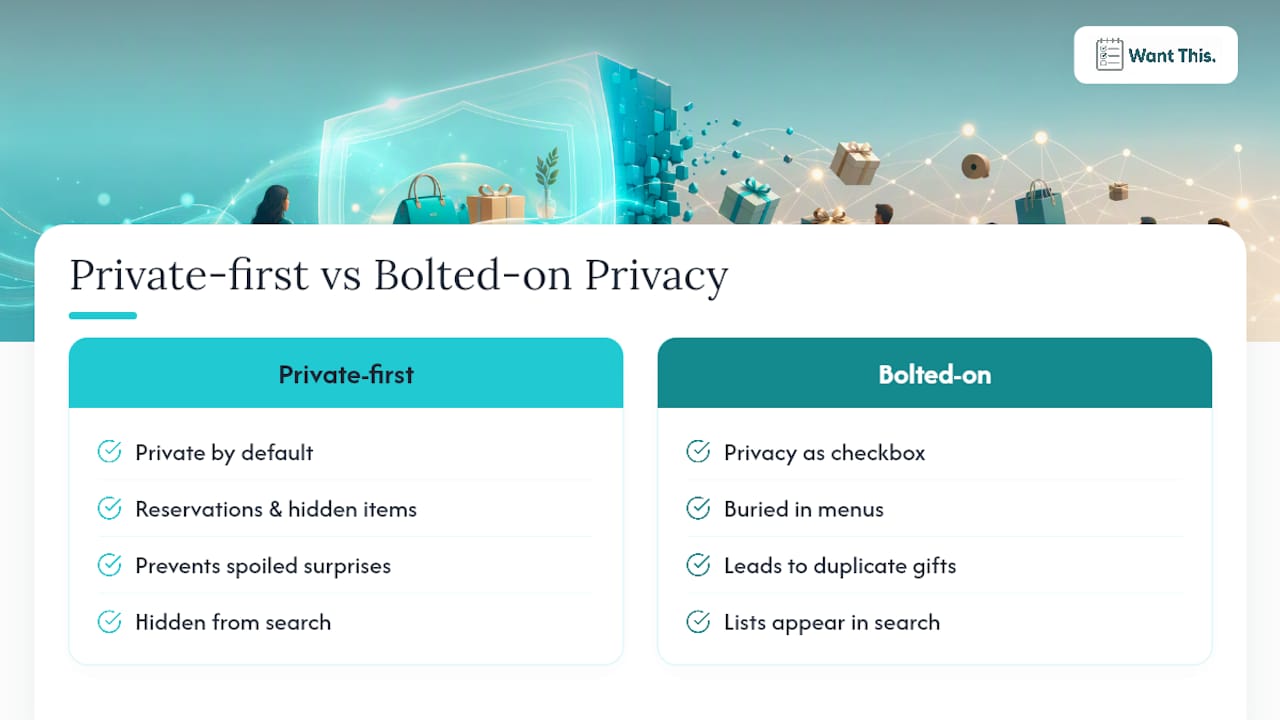
Most privacy problems with wishlists come from platforms that added sharing as an afterthought and privacy as a checkbox buried three menus deep. A tool designed private-first, where reservations and hidden purchases are the default behaviour rather than an edge case, avoids most of the awkward moments readers write in about: spoiled surprises, duplicate gifts, and lists that turn up in search results nobody intended.
Try the wishlist sharing features on your next list and see how differently it feels when privacy isn’t something you have to hunt for.
Try a private wishlist built for real gifting
WantThis builds reservations and hidden purchases into the list itself, so surprises survive without manual tracking.

Paste a link from any UK retailer and the price, image, and title fill in automatically, then share it with exactly the people you want, with no guesswork over who’s already bought what. Price tracking flags drops on saved items, and the Secret Santa organiser handles group draws automatically when the exchange season rolls around. Head to the sharing features page and set up your first private list in a few minutes.
Sources
For changing account settings, see Discord’s Wishlist FAQ. For platform behaviour, see Steam’s wishlist page. For a private-first alternative, see WantThis features.
- Steam wishlist