
What is a digital shopping list for gift lists?

TL;DR:
- Digital shopping lists enable real-time, cross-device sharing to prevent duplicate gifts and track prices effectively. They simplify gift coordination, grocery shopping, and event planning through features like reservation, categorisation, and automatic metadata retrieval. However, their convenience can lead to impulsive additions, so habitually reviewing and setting budgets is recommended.
A digital shopping list is an electronic version of a paper list that lets you record, organise, and share items across your phone, tablet, and computer in real time. For gift-giving, the practical difference is significant: shared wishlists prevent duplicate purchases, let friends and family reserve items privately, and track price drops so nobody overpays. Platforms like WantThis are built precisely for this, and UK users benefit from GDPR protections that govern how any platform handles their personal data. Research from the Journal of Consumer Research also shows digital lists behave differently from paper ones in ways worth understanding before you dive in.
Table of Contents
- What features does a digital shopping list actually include?
- How do digital lists make gift planning easier?
- How to create, share, and manage a digital gift list
- What privacy and sharing controls should you check before sharing a wishlist?
- Digital lists versus paper: what are the real trade-offs?
- WantThis: a UK example of how a gift list platform works
- How to avoid overspending and impulse additions on digital lists
- Key takeaways
- Why digital wishlists are worth using, with one important caveat
- WantThis makes gift coordination simple for UK shoppers
- Further reading and sources
What features does a digital shopping list actually include?
Modern digital lists go well beyond a typed note. The core capabilities you will find across most platforms are:
- Cross-device real-time sync so any change appears instantly on every device sharing the list
- Shared access for households, families, or gift groups, with view or edit permissions
- Categorisation by store aisle, occasion, or recipient to keep things tidy
- Item metadata including price, product image, and notes pulled automatically from a product URL
- Browser extensions and mobile apps for adding items while you browse any retailer
- Reserve or mark-as-bought so givers can claim an item without spoiling the surprise
- Price tracking and alerts that notify you when a saved item drops in price
Some platforms, such as the open-source Nextcloud Shopping List app, add offline mode, duplicate merging, and public share links with optional password protection and expiry dates. These features matter most when multiple people are editing simultaneously, since sync latency in free apps can cause conflicts if the app is not built with offline-first logic.
| Feature | Basic apps | Gift-focused platforms |
|---|---|---|
| Real-time sync | ✓ | ✓ |
| Item reservation / mark bought | ✗ | ✓ |
| Price tracking | ✗ | ✓ |
| Browser extension | Varies | Varies |
| Offline mode | Rarely | Varies |
| Password-protected share links | Rarely | Varies |
Pro Tip: Before committing to any platform, check whether it publishes an explicit privacy policy stating it does not sell your usage data. Apps that offer offline or local storage give you an extra layer of control.
How do digital lists make gift planning easier?
Shared digital lists act as a coordination layer for gift-giving: they prevent duplicates, centralise requests, and cut down the back-and-forth messages that typically clog family group chats before Christmas.

For a birthday, one person creates a wishlist and shares the link. Friends each reserve an item privately, so nobody buys the same thing and the recipient stays in the dark. For Christmas, a family list lets everyone add suggestions across multiple categories, from electronics to books, without a single spreadsheet or sticky note. Secret Santa adds another layer: participants need a draw, individual wishlists, and a way to reserve their assigned person’s items without revealing who has who. A platform that handles all three in one place removes a lot of friction.
Beyond gifting, the same format works for grocery shopping (a shared household list that updates as items are ticked off), event planning (a supplies list for a baby shower or wedding), and even building a wardrobe wishlist across multiple fashion retailers.
Pro Tip: For Christmas family lists, create one list per person rather than one combined list. It is far easier for givers to browse a single person’s wishes than to filter a 40-item combined list.
How to create, share, and manage a digital gift list
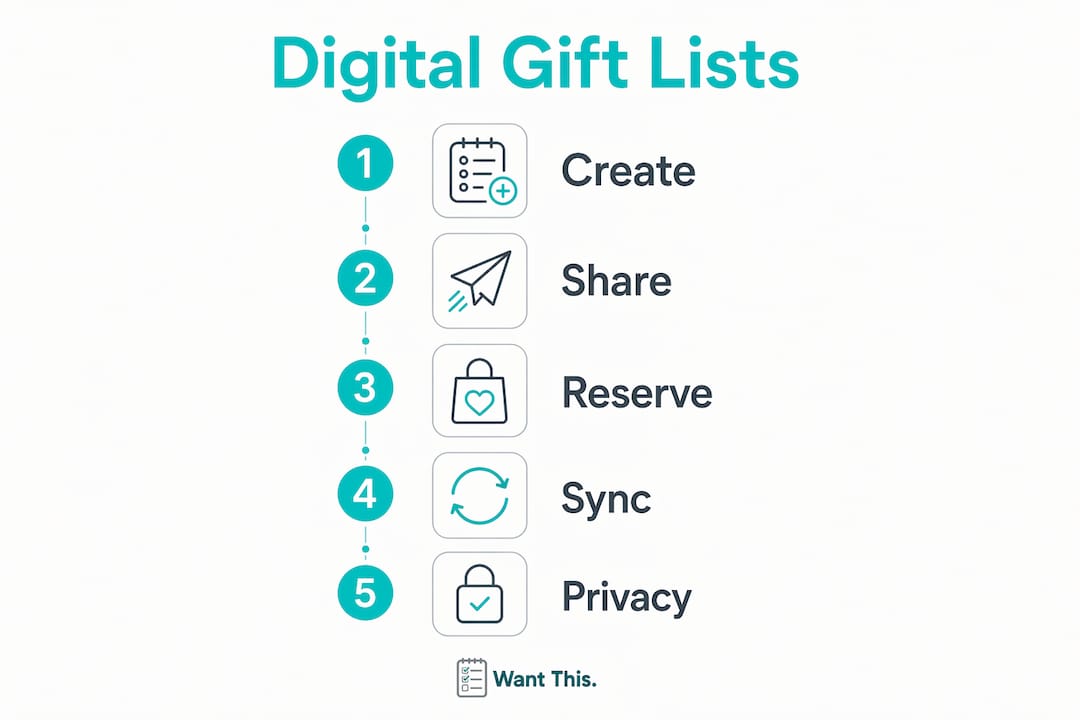
Getting started takes about five minutes. Here is a straightforward process that works across most platforms:
- Create a new list and give it a clear name, such as “Emma’s Birthday 2026” or “Christmas Wishlist.”
- Add items by pasting a product URL from any retailer. A good platform pulls in the title, image, and current price automatically.
- Add metadata where useful: a note about preferred colour or size, a budget cap, or an alternative product link.
- Organise by category (electronics, books, clothing) or by recipient if you are managing a group list.
- Set sharing permissions before you send the link. Decide whether recipients can view only or also edit.
- Share the list via a direct link, email, or app invite. For surprise gifts, send it to givers only, not the recipient.
Before sharing, run through this checklist:
- Confirm the privacy setting matches your intention (private link vs. public)
- Check that the reserve or mark-as-bought feature is enabled
- Agree on a budget range with the group if needed
- Remove any items you have already purchased yourself
Pro Tip: Use the “reserve” feature rather than deleting an item once you have bought it. Deleting removes the record entirely; reserving keeps the item visible to others so they know it is taken, without revealing who bought it.
For managing multiple wishlists across occasions, a simple naming convention (occasion + year + person) keeps things from getting muddled as lists accumulate.
What privacy and sharing controls should you check before sharing a wishlist?
Sharing a list with friends and family is straightforward, but a few settings are worth reviewing first, particularly given UK GDPR rules on personal data.
- Read vs. write permissions: decide whether recipients can add items or only view and reserve
- Public share links: a public link means anyone with the URL can see the list; use password protection or invite-only access for sensitive lists
- Link expiry: some platforms let you set an expiry date on a share link, which is useful after an occasion has passed
- Data export and deletion: under UK GDPR, you have the right to export your data and request deletion; check that the platform makes this straightforward
Many shopping apps monetise through usage data analysis, so reading the privacy policy before signing up is worth a few minutes of your time.
Pro Tip: If privacy is a priority, prefer platforms that either store lists locally (offline-first) or publish a clear, plain-English statement that they do not sell usage data. Vague policies are a warning sign.
Digital lists versus paper: what are the real trade-offs?
Advantages of digital lists:
- Real-time sync means the list is always current, even when multiple people are editing
- Shareable with anyone, anywhere, without printing or photographing a paper note
- Price tracking alerts you when an item drops in cost
- Richer item information: images, links, and notes make it easier for givers to buy the right thing
- Reduced duplicate gifts through reservation features
Disadvantages worth knowing:
- Lower friction encourages impulsive additions. Research in the Journal of Consumer Research found digital lists tend to contain more hedonic or non-essential items than paper lists, which is associated with more unplanned purchases
- Free apps may have sync delays when multiple users edit simultaneously
- Privacy concerns if the platform monetises usage data
- Some users simply prefer the tactile habit of a paper list
For small, private groups, a digital list is almost always the better choice. For a solo shopper who prefers not to share data with any platform, a paper list or a locally stored note remains a perfectly valid option.
WantThis: a UK example of how a gift list platform works
WantThis is a UK-based gift list and wishlist platform designed specifically for the gifting occasions described above. Its core workflow is simple: paste a product link from any online retailer, and WantThis automatically pulls in the title, image, and current price.
Key features relevant to gift-giving:
- Paste from any retailer — not limited to a single shop, so wishlists can span Amazon, John Lewis, ASOS, and beyond
- Automatic price tracking with alerts when a saved item drops in price
- Reserve and mark-as-bought so givers can claim items privately without spoiling surprises
- Secret Santa organiser with an automatic draw, so the group does not need a separate tool
- Works in any phone or desktop browser, so you can add items while browsing
- Occasion-based organisation for birthdays, Christmas, weddings, and baby showers
WantThis is built for UK shoppers coordinating gifts across everyday occasions. Affiliate relationships with retailers (including Amazon) are disclosed on the site, and the platform operates under UK GDPR.
Disclosure: WantThis is the publisher of this article.
How to avoid overspending and impulse additions on digital lists
The convenience of digital lists is also their main risk. Because adding an item takes seconds, lists can grow faster than budgets allow.
- Set a budget per list before you start adding items, and note it in the list description
- Create a “maybe” section for items you are not sure about, and review it weekly before moving anything to the main list
- Schedule a monthly tidy-up to remove items added on impulse that no longer feel necessary
- Use price-tracking alerts to wait for a deal rather than adding more items to compensate for something feeling too expensive
The Journal of Consumer Research finding is worth keeping in mind: the ease of tapping to add an item lowers the natural filter that writing by hand provides. Deliberate habits, such as a weekly review, restore that filter without sacrificing the convenience of a digital list.
Pro Tip: Set a price drop alert on higher-value items rather than buying immediately. Waiting a few weeks for a price drop on an £80 item is often more effective than adding three cheaper alternatives.
Key takeaways
A digital shopping list is the most practical tool UK gift-givers have for coordinating purchases across families and friend groups without duplicates or spoiled surprises.
| Point | Details |
|---|---|
| Core definition | A digital list syncs across devices in real time and supports sharing, categorisation, and item metadata. |
| Gifting benefit | Reserve and mark-as-bought features prevent duplicate gifts and preserve surprises for the recipient. |
| Privacy check | Review the platform’s data policy before sharing; UK GDPR gives you rights to export and delete your data. |
| Impulse control | Digital lists lower the barrier to adding items, so a weekly review habit helps keep lists realistic. |
| Try WantThis | WantThis lets UK shoppers build wishlists from any retailer, track prices, and run a Secret Santa draw in one place. |
Why digital wishlists are worth using, with one important caveat
Digital wishlists have genuinely changed how UK families coordinate gifts, and the coordination benefit alone justifies using them. The ability to share a single list, let givers reserve items privately, and track prices across retailers is something no paper list or group chat can replicate cleanly.
The caveat is behavioural, not technical. The same ease that makes digital lists convenient also makes them magnets for wishful thinking. A list that grows to 50 items is not a gift list—it is a catalogue. The tools that work best are the ones that pair convenience with deliberate controls: a budget field, a maybe section, and a clear privacy policy.
The recommendation is straightforward: use a digital wishlist for any occasion involving more than two people. For solo grocery shopping or a quick personal note, a paper list or a basic notes app is fine. When you do choose a platform, prioritise clear sharing controls, price tracking, and an explicit privacy policy over a long feature list you will never use.
WantThis makes gift coordination simple for UK shoppers
Coordinating gifts for birthdays, Christmas, or Secret Santa no longer needs to involve group chats, spreadsheets, or awkward conversations about what someone already bought. WantThis gives you a single place to build wishlists from any UK retailer, share them with exactly the right people, and let givers reserve items without revealing what they have chosen.

The Secret Santa organiser handles the draw automatically, and you can add items to your list from any shop online by pasting a link. Price tracking alerts you when something on your list drops in cost, so you can time purchases rather than just adding more items.
Start your free gift list on WantThis and share it with friends or family in minutes.
Further reading and sources
The following sources informed this article and are worth exploring for more detail:
- Journal of Consumer Research — digital vs. paper shopping lists: The primary academic source on how digital lists influence purchasing behaviour, including the finding on hedonic item additions.
- Nextcloud Shopping List app (GitHub): Useful for understanding advanced shared-list features including offline mode, duplicate merging, and password-protected share links.
- Shopping List for Nextcloud (offline-first): Demonstrates how offline-first architecture handles sync conflicts, relevant for privacy-conscious users.
- Out of Milk: A widely used grocery list app whose data policy discussion illustrates the broader question of how apps monetise usage data.
- WantThis — gift lists and wishlists for UK shoppers: The UK-based platform used as the primary gifting example throughout this article, covering price tracking, sharing, and Secret Santa organisation.