
How to track bought items on your gift list

The most effective way to track bought items on a gift list is to use a dedicated app that lets you mark each item’s status, set a budget, and share progress with others, all in one place. A good gift purchase tracker does more than tick boxes. It organises your ideas by occasion, flags when something has been bought by someone else, and reminds you when a delivery deadline is approaching. Whether you’re coordinating a family Christmas or managing a wedding gift list, the right system saves you from duplicate purchases, overspending, and the creeping anxiety of losing track.
Here is what an effective gift list management system should cover:
- Status tracking across four stages: idea, purchased, wrapped, and gifted
- Budget monitoring with alerts when you approach your spending limit
- Sharing and coordination so family members can reserve or mark items without spoiling surprises
- Reminders for purchase deadlines, delivery windows, and wrapping days
- Receipt and warranty notes attached to individual items
- Gift history to track what you have given and received over time
- Privacy controls so sensitive list data stays secure
Table of Contents
- Which apps help you track bought items and gift lists in the UK?
- How to organise and manage your gift lists over time
- How WantThis helps you manage gift lists and track purchases
- Your gift list, sorted with WantThis
- Key takeaways
Which apps help you track bought items and gift lists in the UK?
Purpose-built gift tracking apps consistently outperform general task managers for this job. A general to-do app like Remember The Milk (RTM) can handle simple gift reminders and syncs across devices, but it has no budget tracking, no status stages, and no gift-specific sharing. It works as a stopgap, not a solution.
Dedicated apps are built around the specific workflow of gift giving, and the difference shows immediately.
GiftList (iOS) is one of the most fully featured options available. It lets you save gift ideas with photos and prices, mark each item through four status stages (Idea, Purchased, Wrapped, Gifted), and set a budget with alerts. Store links are embedded directly in each item, and the app syncs via iCloud. PDF exports include clickable store links and summary statistics, which is genuinely useful when you want a printed shopping list for a busy December weekend.

Gift Recorder takes a broader approach, letting you track gifts given, received, and planned with full details: person, date, occasion, price, store, and notes. You can share a single list with a partner or family member for joint management, and export everything to PDF or CSV. It’s particularly useful for couples coordinating baby shower or wedding gifts together.
Who Gave Me What solves a specific problem: tracking gifts you have received and managing thank-you notes. The app records each gift’s giver, occasion, and date, then lets you mark it as thanked. The number of unthanked gifts appears as a badge on the app icon, so you can check your social obligations without opening the app at all.
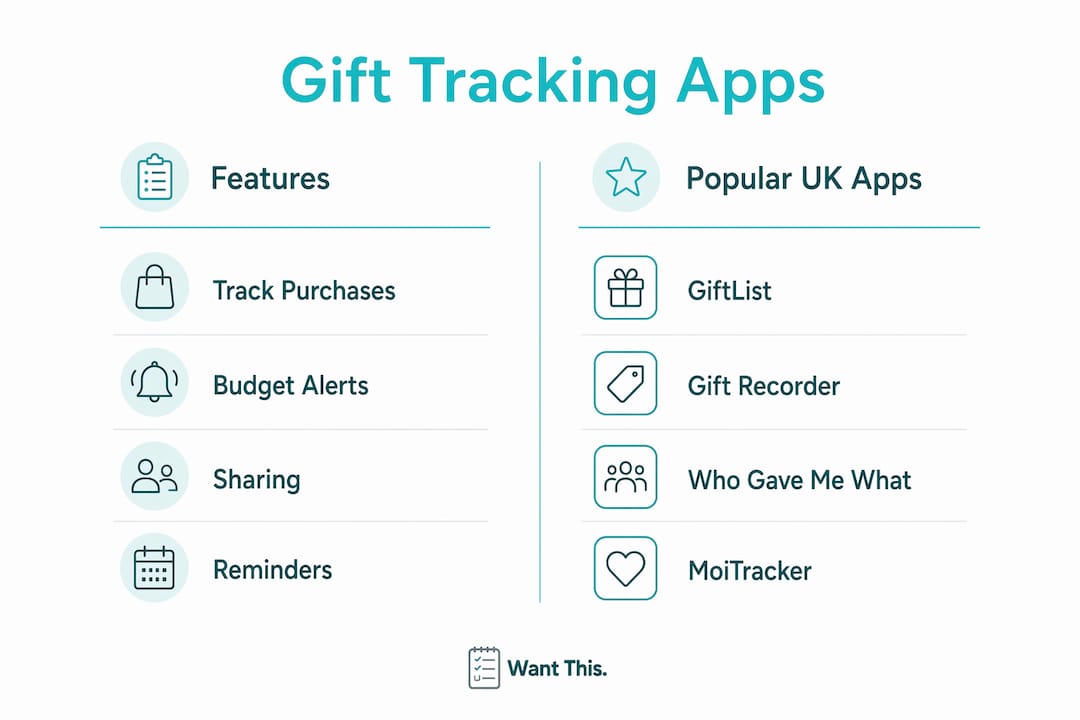
MoiTracker takes a different approach entirely. It uses AI-powered receipt capture and voice entry to log gifts and expenses with minimal manual effort. You can snap a receipt or speak a gift detail aloud, and MoiTracker records it. The app includes unlimited contacts, gift records, and events, plus a calendar view and full analytics. It suits anyone managing a high volume of gifts across multiple occasions.

For privacy-conscious users, apps that store data locally or via iCloud rather than on external servers are worth prioritising. Many dedicated gift apps now market ad-free, no-tracking environments as a core feature, which matters when your list contains personal details about friends and family.
| App | Track gifts bought | Budget alerts | Sharing | Reminders | Platform |
|---|---|---|---|---|---|
| GiftList | ✓ | ✓ | Limited | ✓ | iOS |
| Gift Recorder | ✓ | ✓ (price field) | ✓ (partner/family) | ✗ | iOS |
| Who Gave Me What | Received only | ✗ | ✗ | ✓ (badge) | iOS |
| MoiTracker | ✓ | ✓ (analytics) | ✓ | ✓ | iOS/Android |
| Remember The Milk | Basic tasks only | ✗ | ✓ | ✓ | iOS/Android/Web |
How to organise and manage your gift lists over time
The biggest mistake people make with gift lists is treating them as a one-off task rather than a living document. A list you build in October and ignore until December will let you down. Keeping it updated takes five minutes a week and saves hours of stress later.
Organise by occasion first. Create a separate list for each event: birthdays, Christmas, weddings, baby showers. This keeps your budget calculations clean and stops you accidentally buying a birthday present from your Christmas fund. Apps like GiftList and WantThis both let you keep a separate list for each occasion.
- Update each item’s status as soon as something changes. Bought an item? Mark it purchased immediately, not “later.”
- Set calendar reminders for three key dates: the last order date for standard delivery, the last date for express delivery, and wrapping day.
- Attach a receipt note or order number to each purchased item. If something arrives damaged, you will thank yourself for having the reference to hand.
- Keep a record of what you have given each person over the years. Apps like Who Gave Me What make this straightforward for received gifts; for given gifts, Gift Recorder’s history view lets you check whether you have reciprocated equitably across occasions.
Sharing your list is just as important as maintaining it. When family members can see what has already been bought, duplicate gifts become almost impossible. The key is a platform that lets others mark items as reserved privately, so the recipient never sees what is coming.
Pro Tip: Set a total budget for each occasion before you add a single item to the list. It is far easier to stay within a limit you have committed to upfront than to try and trim a list you have already fallen in love with.
Tracking gift expenses across the year also gives you useful data for future planning. If you spent significantly more on one person than another in the same family group, you can rebalance the following year without any awkwardness.
How WantThis helps you manage gift lists and track purchases
WantThis is built specifically for UK shoppers coordinating gifts across the occasions that matter most: birthdays, Christmas, weddings, baby showers, and Secret Santa. The core mechanic is simple. Paste any product link from any UK online retailer, and WantThis automatically pulls in the title, image, and current price. There is no manual data entry beyond choosing which list the item belongs to.
Occasion-based organisation is built in from the start. You can create separate lists for each event and share them with friends and family, who can privately reserve or mark items as bought. The person receiving the list never sees which items have been reserved, so surprises stay intact. This shared gift list approach is one of the most practical ways to prevent the classic problem of three people buying the same thing.
- Price tracking monitors saved items and alerts you when the price drops, which is handy for deciding whether to buy now or wait for a better deal. You can explore the full price tracking feature on the WantThis site.
- Secret Santa organiser runs an automatic draw, assigns participants, and keeps assignments private. It removes the logistical headache from office or family Secret Santa entirely.
- Affiliate disclosures are transparent and clearly listed, so you always know when a price link carries a referral relationship.
WantThis covers the full range of gift categories UK shoppers typically need: electronics, books, toys and games, home and kitchen, beauty, fashion, and sports and outdoors. For occasion-specific planning, the Christmas gift list and baby shower gift list pages offer curated ideas alongside the list management tools.
Pro Tip: Add items to your WantThis list throughout the year whenever you spot something you like, not just in the weeks before an occasion. A well-stocked list gives friends and family genuine options rather than a last-minute scramble.
Your gift list, sorted with WantThis

WantThis gives UK shoppers a single place to build, share, and manage gift lists for every occasion, without the friction of spreadsheets or the risk of duplicate presents. Paste a link from any retailer, organise by occasion, and let friends and family coordinate privately around your list. Price tracking means you can monitor what you have saved and act when the cost drops. The Secret Santa organiser handles group draws automatically. Whether you are planning ahead for Christmas or pulling together a wedding registry, WantThis keeps everything in one clean, shareable place. Head to wantthis.co.uk to create your first list for free.
Key takeaways
The most reliable way to manage gift lists is to use a dedicated app that tracks status, budget, and sharing in one place, updated regularly rather than all at once before an occasion.
| Point | Details |
|---|---|
| Use status stages | Mark each gift as idea, purchased, wrapped, or gifted to keep your list accurate at a glance. |
| Set budgets before browsing | Committing to a spending limit per occasion before adding items prevents overspending. |
| Share lists privately | Shared lists where others can reserve items silently are the most effective way to prevent duplicate gifts. |
| Keep a gift history | Recording what you have given and received over time helps you reciprocate fairly and avoid repeating gifts. |
| WantThis for UK shoppers | WantThis lets you paste any product link, organise by occasion, track prices, and share lists privately with friends and family. |